
Curious how TeamOhana can help you? Talk to us.
In this article
Never miss new content
The short answer: the best scenario planning software for reorg decisions depends on where the decision gets made. Broad FP&A suites like Workday Adaptive Planning, Anaplan and Pigment are built for enterprise-wide financial models. Org design tools like Orgvue and ChartHop shine at visualizing structure.
TeamOhana is built for the step in between: modeling headcount changes position by position, seeing the budget impact live, and pushing the approved plan straight into the hiring plan your HRIS and ATS already run on.
Reorgs used to be a once-every-few-years event. At growth-stage tech companies, they're now a quarterly habit. A new product bet pulls engineers from one team. A budget cut freezes backfills. A reduction in force (RIF) lands with two weeks' notice and a board deck due Friday.
And where does most of that modeling happen? In a spreadsheet called "Reorg_v7_FINAL_actuallyfinal.xlsx."
We get it. Spreadsheets are flexible, fast to start and already open on your screen. But they break in exactly the places a reorg stresses them: version control across stakeholders, live employee data, cost rollups by department and an audit trail of who changed what. That's why more enterprise FP&A teams are evaluating dedicated scenario planning software for workforce decisions.
This guide compares the leading options through one lens: how well each one handles workforce restructuring and reorg simulations. Not general budgeting. Not revenue forecasting. Just the hard, people-shaped decisions.
What reorg scenario planning actually requires
Good reorg scenario planning software does six things well: it models positions (not just people), shows cost impact live, keeps the live plan safe, lets many stakeholders work in one model, connects to your HRIS and ATS, and leaves an audit trail. Here's what to test in every demo.
- Position-level modeling. A reorg moves seats, not just salaries. You need to archive open roles, push start dates, model terminations and create backfills, all at the position level.
- Live budget, forecast and variance. Every change should show its fiscal-year and annualized cost before anyone commits. Bonus points for a department-by-department breakdown.
- A safe sandbox. Scenarios should never touch the approved plan until they're approved. Ask how many versions you can run side by side (best case, worst case, "the CFO's version").
- Scoped collaboration. Department heads need to edit their own teams without seeing everyone else's comp. Sensitive reorgs live or die on permissions.
- Integration depth. The model should pull live employee data from your HRIS (Workday, HiBob, BambooHR, UKG, ADP and so on) and, once approved, push into the hiring plan your ATS runs on. Otherwise you're re-keying decisions into three systems.
- Approval and audit trail. Who changed what, when, and who signed off? Finance, Legal and People teams will all ask after a RIF.
One more filter for 2026: AI that answers questions about your real data. "What happens to engineering spend if we freeze Q1 backfills?" should take seconds, not a weekend.
The best scenario planning tools for reorg decisions
1. TeamOhana: best for position-level reorg and RIF modeling that has to become a real plan
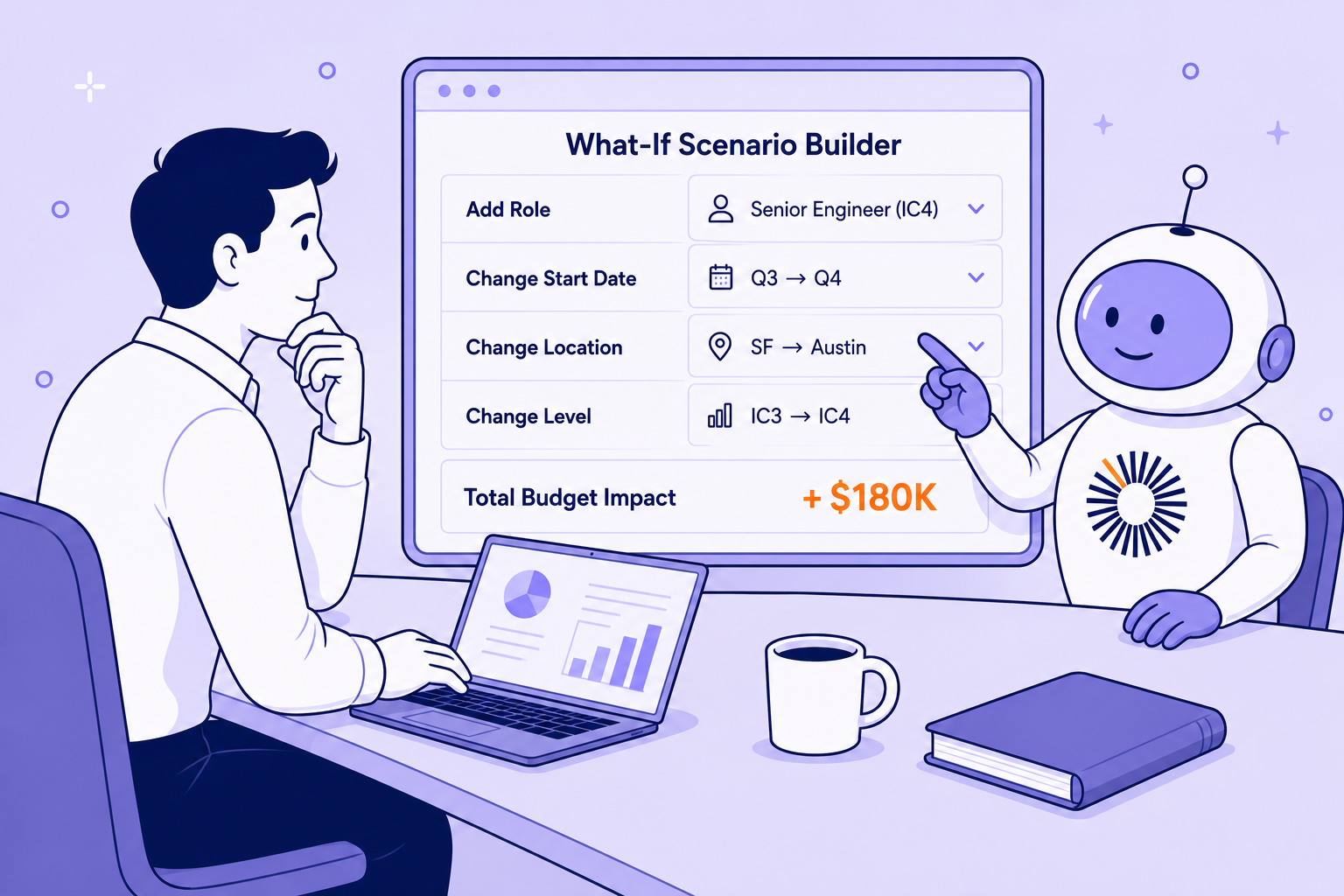
TeamOhana is a headcount planning platform that sits on top of your HRIS and ATS and connects Finance, HR, Recruiting and hiring managers in one workflow. Scenarios are its sandbox: a live snapshot of the hiring plan where you model changes and watch budget, forecast and variance move, without touching the approved plan.
New: build a scenario by asking for one. TeamOhana Computer, the platform's AI analytics agent, is now a sandbox for headcount scenarios. Planning conversations that used to mean a spreadsheet and three Slack threads now take seconds. Finance and HR leaders can go from "what if we added two engineers in Q2?" to a real, scoped answer without building a model first. It works within each user's existing access permissions, which matters when the reorg is confidential.
See it in action:
A few things you can ask TeamOhana Computer:
- See your scenarios. List every scenario, who owns it and where it stands.
- Understand the impact. See what a scenario does to budget, forecast and headcount compared with your baseline.
- See what changed. Get every change in a scenario, like added headcount or moved start dates, summarized in one place.
- Ask "what if." Test ideas like moving hires to a later quarter and see the cost and headcount effect right away.
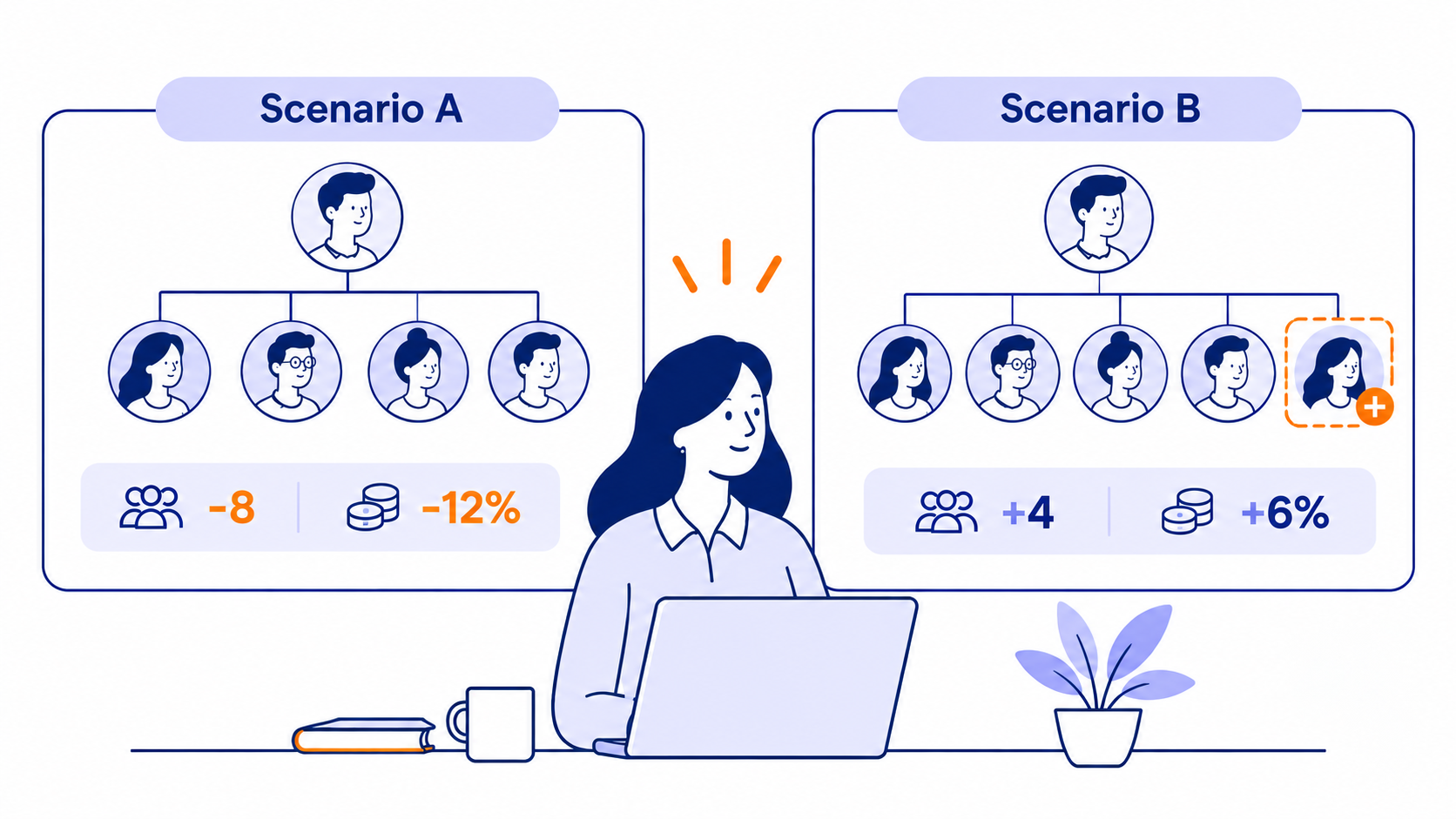
- Compare scenarios. Put two scenarios side by side on cost, headcount and timing, and see which one holds up.
- Share what you find. Turn any answer into a report, chart or dashboard you can send to Finance or leadership.
When a reorg needs the full workflow, the core Scenarios features take it from idea to approved plan:
- Modify Plan scenarios handle mid-year cuts and re-forecasts. Scope a scenario to the affected departments, archive or push back open roles, model terminations with a date, and create backfills right from the employees view.
- Clone any scenario to compare best-case and worst-case versions side by side.
- Impact panel shows budget, forecast, variance and total headcount cost, including people in seat, on both a fiscal-year and annualized basis, with a department-by-department breakdown.
- Limited Editor access lets department leaders and HRBPs work in one org-wide scenario while seeing only their own teams' headcount and numbers. Very useful when the reorg is confidential.
- Changes tab is a full audit trail of what was added, modified or archived, and by whom.
- Approve and merge sends the scenario through your existing approval chain. Once merged, the hiring plan, budget and forecast update and the plan flows to your ATS.
Tradeoffs: TeamOhana is the headcount planning layer, not a full corporate performance management suite. Most enterprise teams run it alongside their FP&A model rather than instead of it. It also respects the HRIS as the system of record, so terminations modeled in a scenario don't write back to the HRIS.
2. Workday Adaptive Planning: best for enterprises already standardized on Workday
Workday Adaptive Planning is an enterprise FP&A suite with a dedicated workforce planning module. Workday says it links workforce plans to financial models with current headcount and cost data, and it markets unlimited scenario modeling for restructures, M&A and talent needs.
Tradeoffs: it's a broad planning platform, so reorg models are typically built and maintained by a finance systems team. It's strongest when Workday HCM is also your HRIS.
3. ChartHop: best for visual, org-chart-first reorg design
ChartHop's headcount planning lets you drag boxes on an org chart, open reqs or model a reorg, and see the budget impact in the same view. It also offers an AI assistant for questions about the plan.
Tradeoffs: ChartHop is an org-chart and people-data platform at heart. Teams that need deep position-level budget control and approval-to-ATS handoff should test those workflows closely.
4. Pigment: best for FP&A teams that want one flexible model for everything
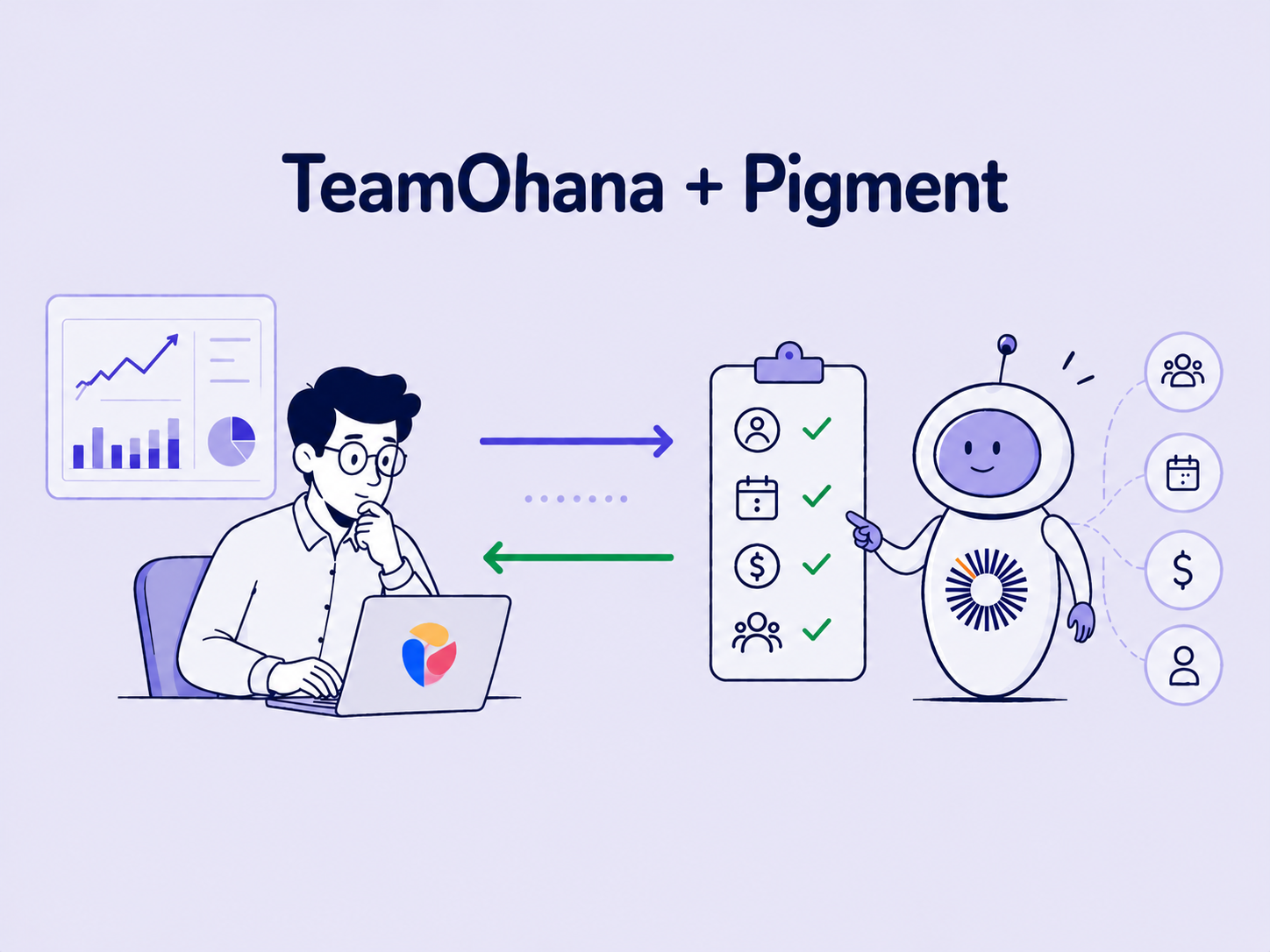
Pigment is a business planning platform used across finance, sales and HR. Its headcount planning use case includes HRIS, ATS and ERP integrations, to-be-hired approval workflows, custom forecasting models and scenario analysis.
Tradeoffs: flexibility cuts both ways. Someone has to design and maintain the workforce model, and HR or department leaders may need training to work in it.
5. Anaplan: best for very large, complex global enterprises
Anaplan is a connected enterprise planning platform known for highly configurable, multi-dimensional models. Comparison sites like MokaHR's roundup rank it as a fit for large global enterprises building complex connected scenarios.
Tradeoffs: implementation typically requires dedicated model builders or a partner, which can be heavy for a growth-stage company that reorganizes every quarter.
6. Orgvue: best for large-scale transformation and org design programs
Orgvue is an organizational design and workforce planning platform. It tests future-state designs down to roles, reporting lines and cost, and compares scenarios across functions, job families or grades.
Tradeoffs: Orgvue is built for big transformation programs, often run with consulting partners. It's less focused on the ongoing loop of approving roles and handing them to recruiting.
Scenario planning software compared at a glance
Vendor capabilities summarized from each vendor's public pages as of November 2026. Confirm specifics in a demo.
How enterprise FP&A teams should choose
Start with how often you reorganize and who has to act on the decision. That answer narrows the field faster than any feature list.
If you reorganize every quarter, you need speed and a clean handoff. Look for a tool where department leaders can edit their own slice of one scenario, Finance sees the rollup live, and the approved result becomes the hiring plan without re-keying. This is where a headcount planning layer like TeamOhana earns its keep.
If your reorg is a once-in-five-years transformation, a dedicated org design platform like Orgvue, often paired with a consulting partner, can be worth the heavier setup.
If your FP&A team wants one model for revenue, opex and people, Pigment, Anaplan or Workday Adaptive Planning will fit. Plan for the model-building time, and ask how HR and department heads will actually participate.
If you don't want to rip anything out, you don't have to. Many teams keep their FP&A suite as the corporate model and use TeamOhana for the position-level work that feeds it. Your HRIS stays the system of record. Your ATS keeps running recruiting. TeamOhana is the decision layer between them.
Three questions to ask in every demo:
- "Show me a 10% cost reduction across three departments, with two versions, in 15 minutes."
- "How does a department head edit their team without seeing other teams' compensation?"
- "Once this is approved, what happens in my HRIS and ATS, and who has to re-enter anything?"
What a reorg simulation looks like in practice
A solid reorg simulation runs in six steps, from scoping to a merged plan. Here's how it works in TeamOhana.
- Scope it. Create a Modify Plan scenario limited to the affected departments, and apply a budget envelope if you have a target.
- Model the changes. Archive or push back open roles, model terminations with a date, and create backfills where needed.
- Build the alternatives. Clone the scenario into a best case and a worst case so leadership compares real options, not gut feel.
- Bring in the leaders. Invite department heads as Limited Editors. They adjust their own teams and see only their own budget, forecast and variance.
- Check the math. Use the Impact panel and Review changes to see fiscal-year and annualized cost by department before anything is final.
- Approve and merge. Submit through your approval chain, do a last pass in the Changes tab, then merge. The hiring plan, budget and forecast update, and recruiting works from the new plan.
The same flow works for the uncomfortable stuff, too. If you're planning a RIF, read Your next RIF starts with this year's hiring plan for why the best reductions start long before anyone is let go.
Stop running reorgs out of a spreadsheet
Reorgs are going to keep coming. The teams that handle them well don't have better spreadsheets. They have one shared model, live numbers, scoped access and a clean path from "approved" to "done."
Pick the tool that matches how often you reorganize and who needs to act on the result. If that's every quarter, and Finance, HR and department leaders all have a hand in it, TeamOhana was built for you.
See how TeamOhana models a reorg in minutes. Book a demo.
Take control of your headcount spend

Scenario planning software FAQs
Simplifying TeamOhana: your questions, answered.
Tech companies that reorganize often need fast, position-level modeling with live budget impact and a direct path from approved scenario to hiring plan. TeamOhana is built for that loop and works on top of the HRIS and ATS you already use. ChartHop suits teams that want org-chart-first visuals, while Pigment, Anaplan and Workday Adaptive Planning suit teams building one large FP&A model.
They test six things: position-level modeling, live budget and variance impact, a sandbox that protects the live plan, scoped access for department leaders, HRIS and ATS integration, and an approval audit trail. Then they match the tool to how often they reorganize and who needs to act on the result.
Scenario planning software lets teams model "what if" versions of a plan, such as a hiring freeze, a budget cut or a reorg, and compare the financial and organizational impact before committing to one.
FP&A software models the whole business: revenue, opex and cash. Workforce planning software focuses on people and positions: who you have, who you'll hire, who reports to whom and what it costs. Many enterprises use both.
Yes. Look for tools that model terminations with dates, archive open roles, create backfills and show the forecast impact by department. In TeamOhana, modeled terminations stay in the scenario and don't write back to your HRIS.
No. Tools like TeamOhana sync employee data from your HRIS (Workday, HiBob, BambooHR, UKG, ADP, Paycom and others) and keep it as the system of record.