Track the position, not the person.
Your HRIS closes the record when someone leaves. TeamOhana keeps the position, its budget and its history.
Live in four weeks, in time for 2027.
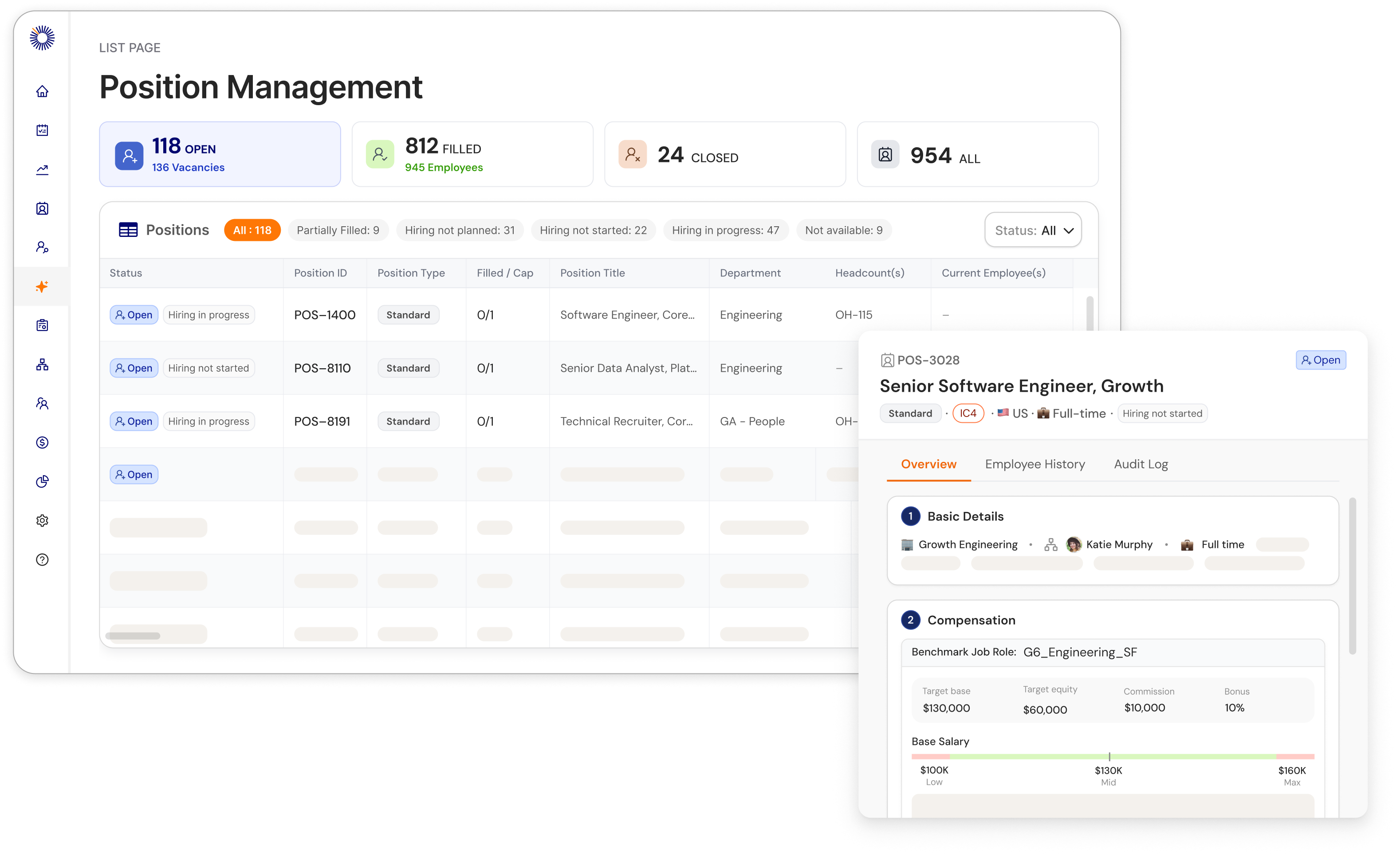
The fastest-growing companies approve headcount and AI spend on TeamOhana.
.svg)


.svg)


Position Management breaks in a spreadsheet.
Most teams run positions in a spreadsheet, with approvals in Slack and reqs in the ATS. It holds until someone leaves or a budget moves.
"There were at least six to seven different stories of what changed from our original headcount."

"We had to start every workforce question with a reconciliation."

"If you've ever had a conversation where Finance, HR, and TA each had a different headcount number…"

Four questions to ask any Position Management system.
Whether you build it in a spreadsheet, extend your ATS or buy a tool, ask these first.
- 1
Does the req in your ATS carry the same position ID?
If not, someone matches reqs to the plan by hand. As one FP&A director put it: "It's not all one for one."
- 2
When someone leaves, does the position keep its ID and its budget?
If a backfill creates a new record, the history and the dollars split apart.
- 3
Can a manager move budget between positions, with an approval and a record?
Without a record, robbing Peter to pay Paul becomes a variance nobody can explain.
- 4
Who maintains it?
A tool someone built belongs to whoever built it. When they leave, nobody owns the plan.
See how TeamOhana handles all four in a 30-minute demo.
Book a demoPeople come and go. The position stays.
A position is a seat in your org. It exists before anyone fills it and after they leave. Its ID, budget and history outlive every person who holds it.

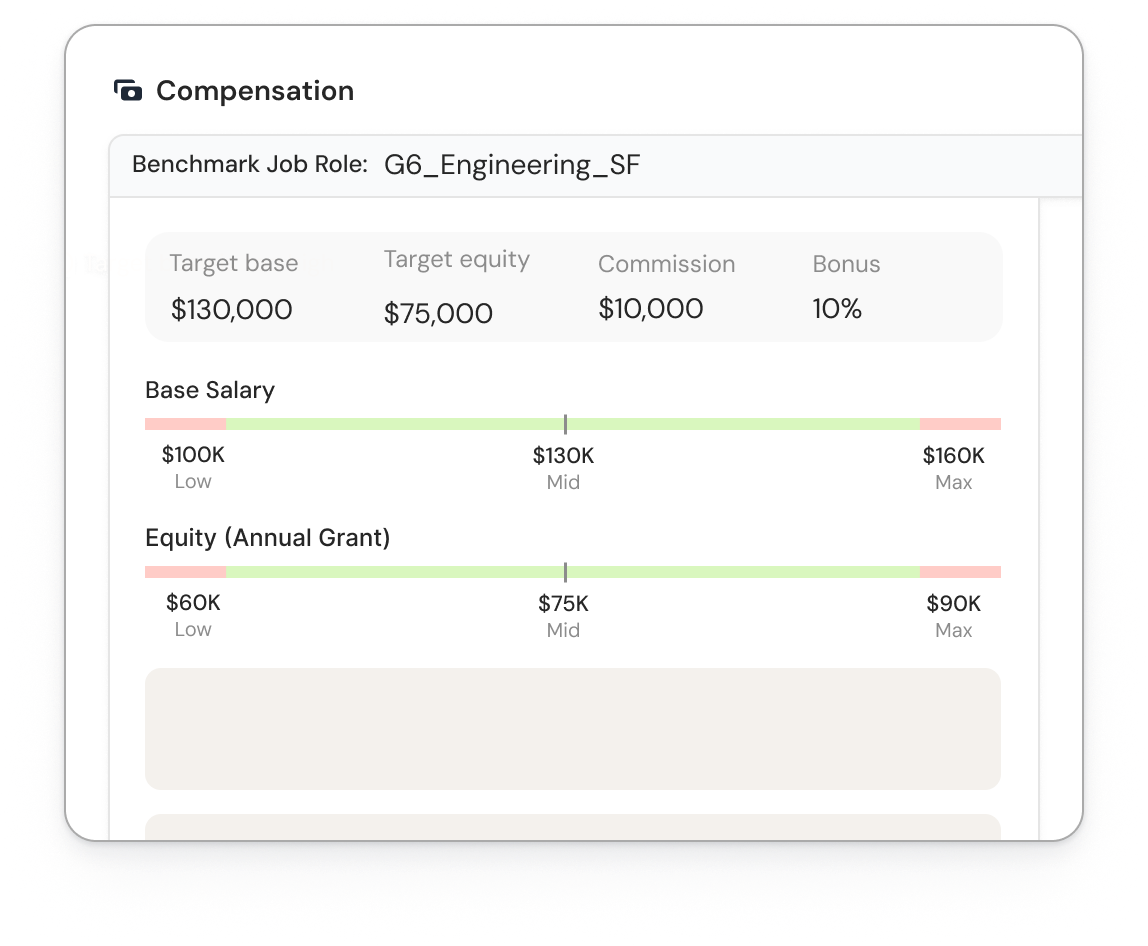
Budget moves. The trail stays.
- Budget lives on the position. See what an open position will cost before anyone fills it, and the true cost the day someone starts.
- Every move has an approval. Down-level a backfill, fund a re-level, or split savings across two hires. The money moves position to position, with an approver and a reason.
- Envelopes by leader. Give each leader a budget envelope and let them trade inside it. Finance sees every trade.
- Departures get flagged. When someone leaves and no backfill decision follows, the position stays flagged until someone decides.

Every change has an approver and a reason.
- Approvals route by your rules. Requests reach the right approvers in Slack, in the order your policy sets. No email chains, and no second approval in the ATS.
- The record keeps itself. Who asked, who approved, when and why, saved on the position. When the board asks, you look it up.
- No automatic refills. Before a position refills, the manager reviews what the role needs now. Then the opening goes for approval, backfills included.
- Confidential searches stay private. Private headcount stays in the plan and the run rate without showing on everyone's screen.

One number for the board.
- Finance and People read the same position list. No reconciliation meeting before the board deck.
- Every position shows where it stands. Approved but not yet opened, open in the ATS, or hired and not started.
- Every position keeps its history. Who held it, at what level and pay, with dates.

Backfill or net-new, decided up front.
- Every opening gets a label. If Jim leaves and you replace Jim, that's a backfill. If Jim's team of one becomes two, that's net-new. If Jim's role changes, that's its own decision, reviewed before anyone labels it.
- Shared positions for shift roles. One position can hold several people, like five support specialists or two half-time job-shares, with a real vacancy count.
"We were just opening up backfills anytime somebody turned over, without really thinking about the need."Cedar, before TeamOhana. Cedar has since reallocated $1.5M+ in headcount spend.

Live in four weeks. Nothing gets ripped out.
TeamOhana becomes the record for positions. Your HRIS keeps payroll. Your ATS keeps recruiting.
- Weeks 1 and 2
Connect and clean
We connect your HRIS and ATS, load your headcount spreadsheet, and match every position to a person or an open req.
- Week 3
Set approval rules
Your Finance and People leads decide who approves what. We configure it.
- Week 4
Admin onboarding
Your admins learn to run positions, budgets and approvals day to day.
- Go-live
Training
Managers, recruiters and HR partners get trained. The first approval runs through TeamOhana.
What we need
Access to your HRIS and ATS, your current headcount spreadsheet, and your approval rules, even if they only live in someone's head.
Who does the work
Our implementation team does the data work. You name a People Ops admin and a Finance owner. We bring the rollout plan and a training guide for each role.
What stays untouched
Your HRIS stays the employee record and payroll. Recruiters stay in the ATS, and offer approvals can stay there. Your planning tool keeps the forecast.
Works with ADP Workforce Now, Rippling, HiBob and UKG, plus Greenhouse, Ashby and Lever.
Your HRIS
and org sync in
 Position ManagementBudget, approvals and history on every position
on every req
Your ATS
Start in the next few weeks and your 2027 plan goes live as positions.
Book a demoOne position record for Finance, People and Talent.
Every approved dollar sits on a position. When it moves, you see who moved it and why. Backfills stop looking like new asks.
Gets approved, hired and open in one numberYour HR partners stop reconciling spreadsheets. They see what is opened, approved and filled without asking Finance, and spend that time with leaders.
Gets HR partner hours back from reconciliationEvery req starts from an approved position, so recruiters only work on funded roles.
Gets to know a req is funded before posting itSpreadsheet, HRIS or a position record.
| Spreadsheet + Slack | Your HRIS |  Position Management Position Management | |
|---|---|---|---|
| Survives a departure | Someone deletes the row or adds a new one | The employee record closes. The opening isn't tracked | The position opens, then gets reviewed |
| Labels backfills | Backfills look like new headcount | Tracks people, not openings | Backfill, changed role or net-new, clearly labeled |
| Tracks budget moves | Trades live in side tabs and notes | Holds pay for people in seats, not budget for open ones | Every move has an approver and a record |
| Keeps approvals | The approval sits in a Slack thread | Not built for headcount approvals | Approval history saved on the position |
| Links the ATS req | Matched by hand | Receives the hire, not the req | Same position ID on the req through the hire |
| Gives one number | Finance and HR reconcile before every meeting | Counts who is employed, not what is approved | Both read the same position list |
Headcount is a count. Positions are a record.
What teams get from one headcount record.


Cedar surfaced and reallocated $1.5M+ in headcount spend by turning backfills from a reflex into a decision.
Sprout Social cut headcount approvals from 2 to 4 weeks to under a day, and replaced 5 to 7 tools and spreadsheets with one source of truth.
See TeamOhana working in 30 minutes.
A live product demo with someone who has rolled out TeamOhana for companies on your HRIS. Tell us where your process breaks today, and we'll show you how the product handles it.
- Positions that keep their ID, budget and history
- Budget moves and approvals, with the record behind each one
- Approved, hired and open in one view for the board
Planning the FY2027 workforce.
The guide for Finance, HR, and Talent leaders running their first planning cycle that includes both human and AI workers.
Get the guide